
Automatic HDR merging for architectural and real estate photographers.
HDR software for Mac that detects bracketed RAW sets by exposure spread and capture time, merges them into balanced HDR, and writes raw-editable DNG, 16-bit TIFF or JPEG — 40+ RAW formats in, via LibRaw.
30 days free — no credit card required

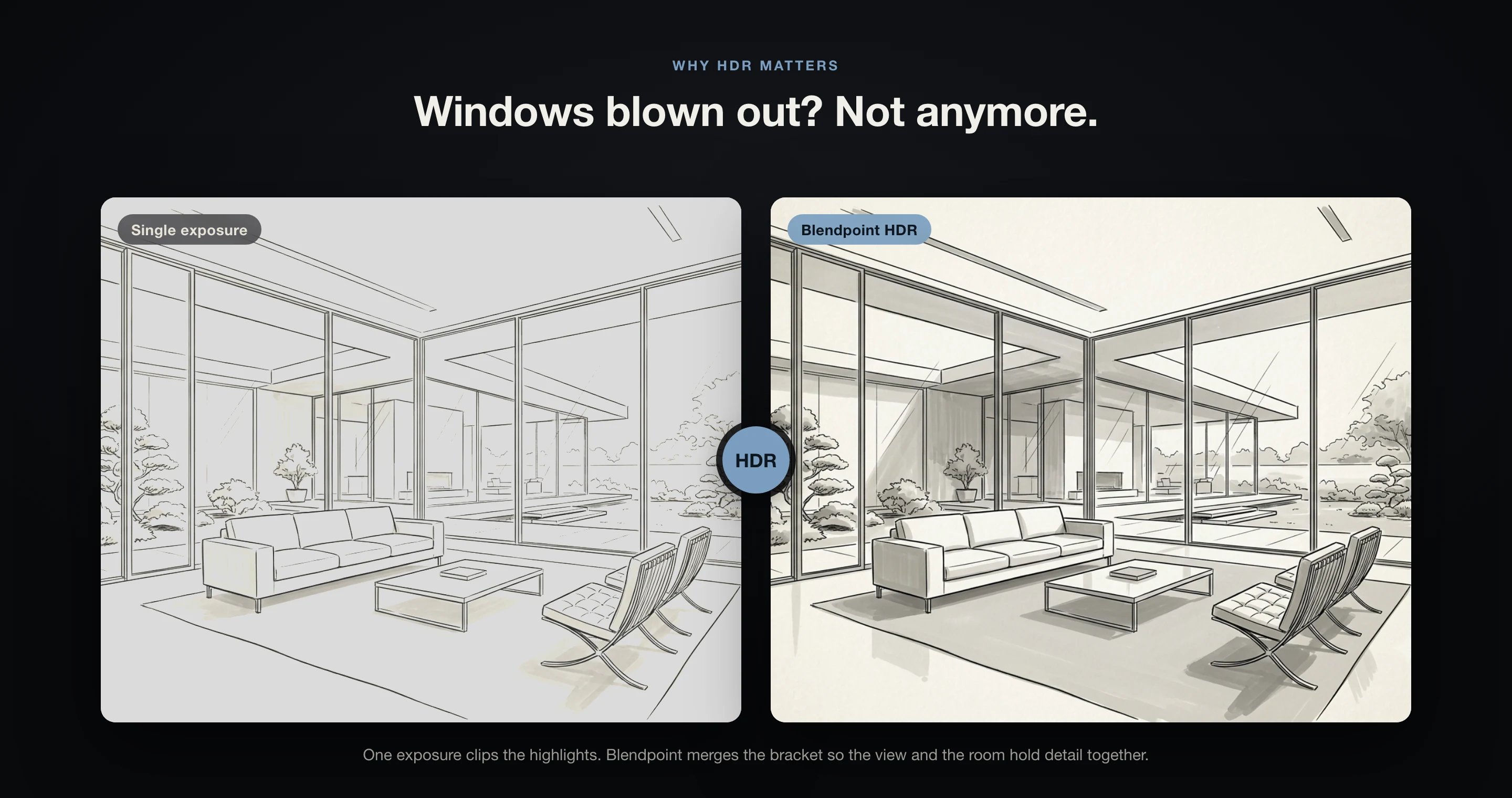
Bright windows are the classic interior problem — expose for the room and the view burns out, expose for the view and the room falls dark. Automatic bracket merging holds both, so every listing shows the space and the view the way they really looked.
Everything you need. Nothing you don't.
Auto bracket detection
Finds bracketed sets by exposure spread and capture time, and lines up handheld brackets before merging. No manual grouping or naming.
One-click HDR merge
Merges each bracket into balanced HDR — the view through the windows and the room, held together.
One job per house
Press the house button and every photo lands in its own job — by folder, by GPS, or by the pauses between shoots. Each job keeps its own output settings.
Lens correction
Straightens distortion, evens out dark corners and removes colour fringes with built-in lens profiles. DNGs carry the correction for Lightroom to apply.
True colour from every camera
Colours tuned per camera — Canon, Nikon, Sony, Fujifilm and DJI drones — and matched to Adobe's own profiles when Lightroom or Camera Raw is installed.
Compact, raw-editable DNGs
DNG 1.7 with JPEG XL compression — typically 2–3 MB at 6 MP — opening at the right brightness in Lightroom and Camera Raw, fully editable.
Pro output formats
Export HDR DNG, 16-bit TIFF or JPEG at full size, a megapixel count, a long edge or a target file size — with star ratings and colour labels saved inside the files.
JPGs alongside RAW
Mix JPG files into a shoot — resized, renamed and delivered like your RAW conversions. Shot RAW+JPG? Only the RAW is imported.
Rate & cull fast
Filmstrip with star ratings, colour labels, reject and filtering. Deliver only your strongest frames.
Suggested delivery set
Suggest Set picks the best photo of each angle — the front of the house first, the rest in listing order, up to the number you choose. One click from a full shoot to a delivery set.
Your name in every file
Creator, copyright, contact details and usage terms go into every DNG, JPG and TIFF, where Lightroom, Bridge and Capture One show them. Location data is removed from delivered files by default.
Private by design
Your photos never leave your Mac, and Blendpoint collects no analytics. Activate once, then work offline for up to a week at a time.

One job per house
Import both cameras' cards, press the house button, and Blendpoint sorts every photo into one job per house — by folder, by GPS location when your photos carry it, otherwise by the pauses between shoots. You check the result before a single job is made.

Automatic HDR detection
Blendpoint spots your bracketed exposure sets and merges them into a single HDR DNG — no manual sorting, no guesswork. It groups multi-exposure sequences automatically as you import, so even a full day's shoot is sorted into sets, ready to merge.

Deliver with confidence
Review finished images with a live histogram and a star-rated filmstrip, or let Suggest Set pick the best photo of each angle — the front of the house first, up to the number you choose. Then export only the keepers to DNG, JPEG or TIFF in a single pass, with your originals left untouched.
Three steps to delivery.
Import
Drag in a folder of RAW files or a bracketed sequence.
Merge
Blendpoint auto-detects the brackets and merges balanced HDR.
Deliver
Export to DNG, JPEG or TIFF with one click.
After a year shooting real estate, I got tired of how slow merging brackets in my old workflow was. So I built Blendpoint to do it automatically — it finds the brackets, blends balanced HDR and gets the deliverables ready for me.
Your originals, untouched
Blendpoint writes to its own job folder and never modifies your source files.
Everything stays on your Mac
RAW processing runs locally — your photos are never uploaded anywhere.
A native Mac app
Built for macOS 14 Sonoma and later — a real desktop app, not a browser tool.
Questions about RAW, HDR and delivery
Which RAW formats does Blendpoint support?
Blendpoint reads more than 40 RAW formats through LibRaw, including Canon CR3, Nikon NEF, Sony ARW and Fujifilm RAF. If your camera writes a mainstream RAW file, Blendpoint will open it.
How does Blendpoint know which photos belong to the same bracket?
It groups them automatically using exposure spread and capture time — the same signals you would use by eye. There is no manual grouping, no naming convention to follow and no fixed shooting order to remember.
Is the merged HDR still editable afterwards?
Yes. Blendpoint writes a raw-editable DNG, so the merged frame keeps its latitude and you can still adjust exposure, white balance and highlight recovery afterwards. Nothing is baked in the way a flattened JPEG or TIFF would be.
What can Blendpoint export to?
Raw-editable DNG, 16-bit TIFF, or JPEG. Each Job carries its own output settings, so you can deliver web-sized JPEGs and archival TIFFs from the same merge.
Can I process an entire shoot in one go?
Yes. Photos are batched into named Jobs, and every bracketed set in the Job is detected and merged in the same pass. As an example from our own workflow, a 45-frame property shoot merges and exports in about two minutes, where doing the same set by hand took us closer to forty-five. Your own times will depend on your Mac, the size of the shoot and how much you fine-tune afterwards.
How are star ratings and labels stored?
Ratings and labels are saved inside the image files themselves — no separate .xmp sidecars to lose — where Lightroom, Bridge and Capture One read them.
What do I need to run Blendpoint?
macOS 14.0 Sonoma or later, on a Mac with Apple Silicon (M1 or newer) — Intel Macs are not supported. Everything runs locally on your own machine — your photos are never uploaded anywhere.
How does the free trial work?
The 30-day trial starts the first time you launch the app, not when you create your account, and it needs no credit card. You get the full application for the whole period.
Simple pricing.
One plan. Everything included. No hidden fees, no feature tiers.
Individual
Beta30 days free — no credit card required.
Blendpoint is in public beta — features may change and you may hit bugs. Cancel any time.