
Built for architectural and real estate photographers.
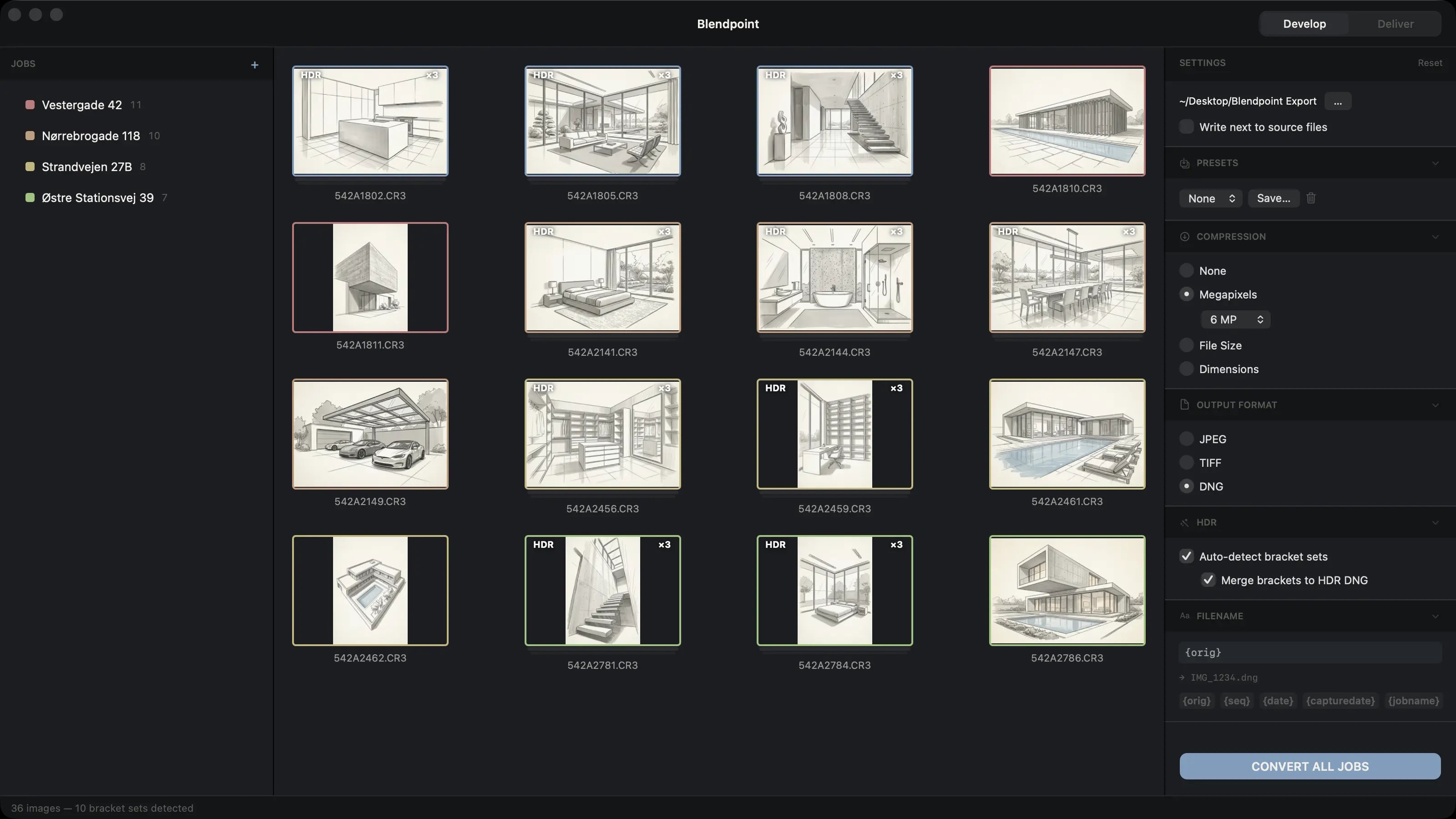
Detects bracketed sets by exposure spread and capture time. Merges balanced HDR. Writes raw-editable DNG, 16-bit TIFF, or JPEG — 40+ RAW formats in, via LibRaw.
1 month free — no credit card required
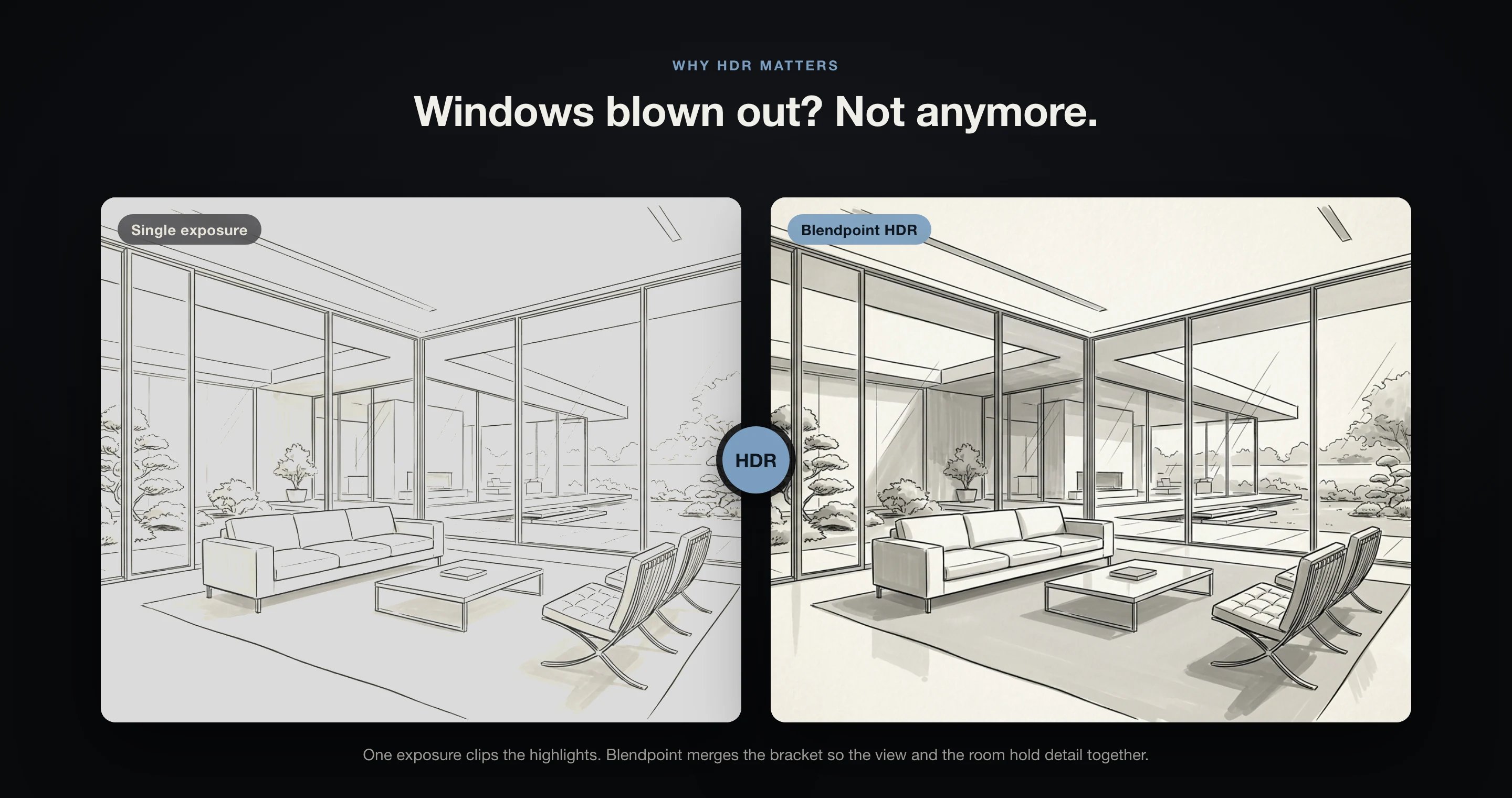
Bright windows are the classic interior problem — expose for the room and the view burns out, expose for the view and the room falls dark. Automatic bracket merging holds both, so every listing shows the space and the view the way they really looked.
Everything you need. Nothing you don't.
Auto bracket detection
Finds bracketed sets by exposure spread and capture time. No manual grouping or naming.
One-click HDR merge
Merges each bracket into balanced HDR — the view through the windows and the room, held together.
Rate & cull fast
Filmstrip with star ratings, colour labels, reject and filtering. Deliver only your strongest frames.
Pro output formats
Export HDR DNG, 16-bit TIFF, or JPEG — with ratings written as XMP sidecars.
Batch by Job
Split a shoot into Jobs, each with its own output settings, and convert the whole folder at once.
Stays raw-editable
HDR DNGs open at the right brightness in Lightroom and Camera Raw, fully editable.
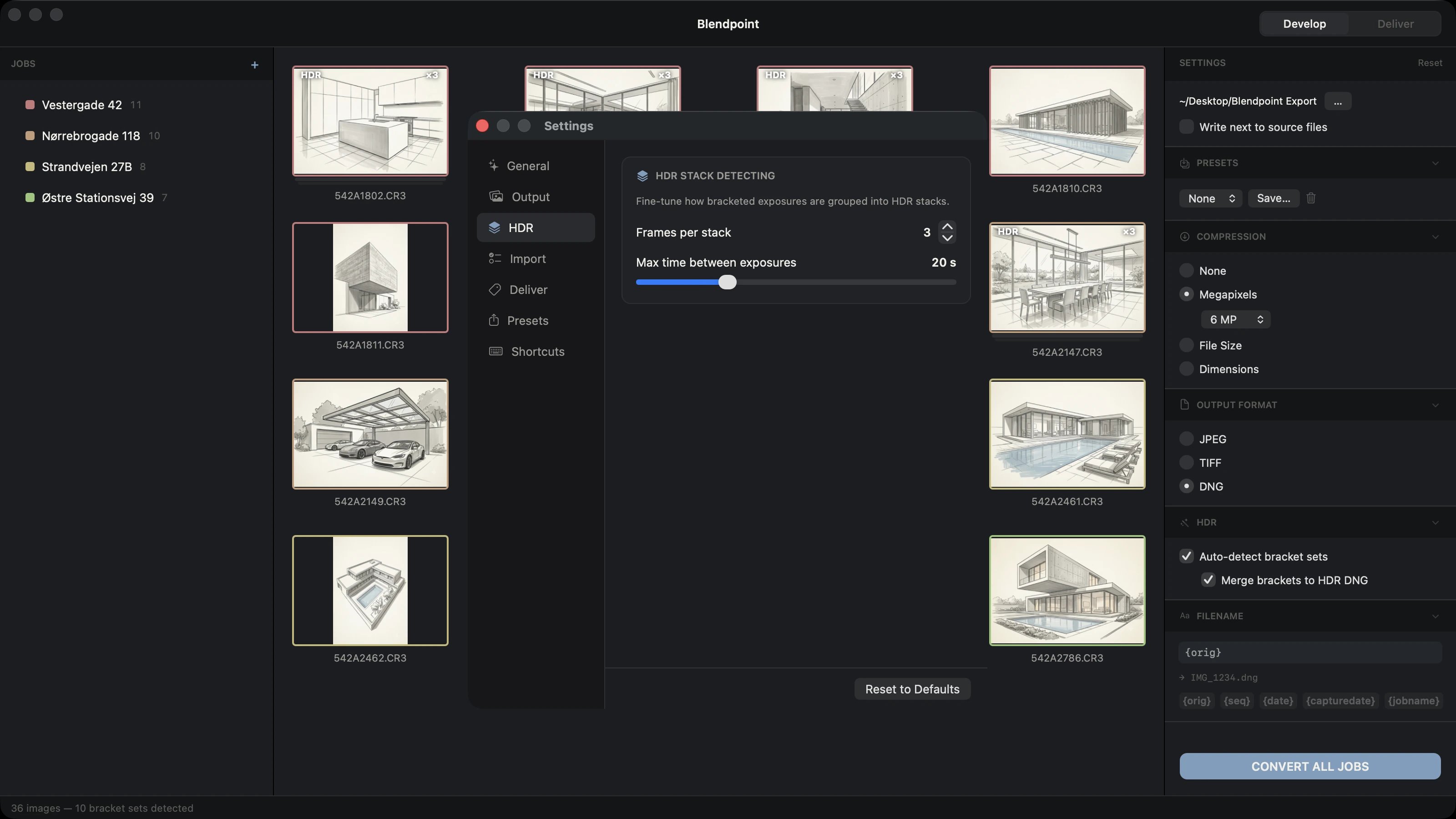
Automatic HDR detection
Blendpoint spots your bracketed exposure sets and merges them into a single HDR DNG — no manual sorting, no guesswork. It groups multi-exposure sequences automatically as you import, so even a full day's shoot is sorted and ready to merge in seconds.
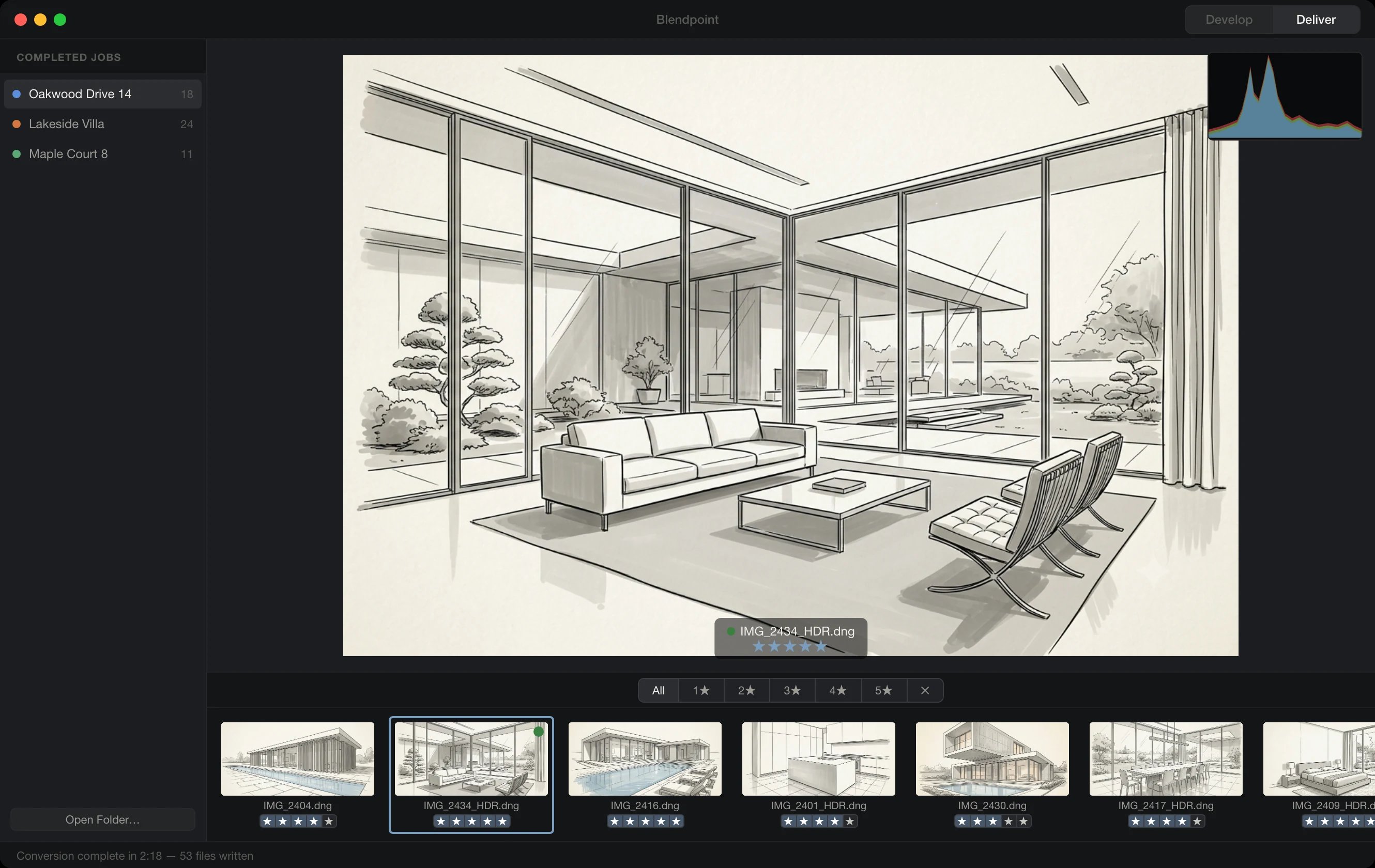
Deliver with confidence
Review finished images with a live histogram and a star-rated filmstrip, then export only the keepers. Send them to DNG, JPEG, or TIFF in a single pass — written to their own job folder, with your originals left untouched.
Three steps to delivery.
Import
Drag in a folder of RAW files or a bracketed sequence.
Merge
Blendpoint auto-detects the brackets and merges balanced HDR.
Deliver
Export to DNG, JPEG or TIFF with one click.
After a year shooting real estate, I got tired of how slow merging brackets in my old workflow was. So I built Blendpoint to do it in a fraction of the time — it finds the brackets, blends balanced HDR automatically, and has your deliverables ready in minutes.
Your originals, untouched
Blendpoint writes to its own job folder and never modifies your source files.
Everything stays on your Mac
RAW processing runs locally — your photos are never uploaded anywhere.
A native Mac app
Built for macOS 14 Sonoma and later — no browser, no subscriptions to third-party clouds.
Questions about RAW, HDR and delivery
Which RAW formats does Blendpoint support?
Blendpoint reads more than 40 RAW formats through LibRaw, including Canon CR3, Nikon NEF, Sony ARW and Fujifilm RAF. If your camera writes a mainstream RAW file, Blendpoint will open it.
How does Blendpoint know which photos belong to the same bracket?
It groups them automatically using exposure spread and capture time — the same signals you would use by eye. There is no manual grouping, no naming convention to follow and no fixed shooting order to remember.
Is the merged HDR still editable afterwards?
Yes. Blendpoint writes a raw-editable DNG, so the merged frame keeps its latitude and you can still adjust exposure, white balance and highlight recovery afterwards. Nothing is baked in the way a flattened JPEG or TIFF would be.
What can Blendpoint export to?
Raw-editable DNG, 16-bit TIFF, or JPEG at four compression levels. Each Job carries its own output settings, so you can deliver web-sized JPEGs and archival TIFFs from the same merge.
Can I process an entire shoot in one go?
Yes. Photos are batched into named Jobs, and every bracketed set in the Job is detected and merged in the same pass. As an example from our own workflow, a 45-frame property shoot merges and exports in about two minutes, where doing the same set by hand took us closer to forty-five. Your own times will depend on your Mac, the size of the shoot and how much you fine-tune afterwards.
How are star ratings and labels stored?
Ratings and labels are written as XMP sidecar files, so they travel with your images and are read by any other application that understands XMP.
What do I need to run Blendpoint?
macOS 14.0 Sonoma or later, on either Apple Silicon or Intel. Everything runs locally on your own machine — your photos are never uploaded anywhere.
How does the free trial work?
The 30-day trial starts the first time you launch the app, not when you create your account, and it needs no credit card. You get the full application for the whole period.
Simple pricing.
One plan. Everything included. No hidden fees, no feature tiers.